MachineOS builds a digital twin of your vehicle from the photos, video and measurements you take, and puts a mechanic on your iPhone that has read it. Every job starts from what’s known and ends on the record.
◆ 2 Front-left wheel OBSERVED · 99%✓ VERIFIED · YOU
The digital twin
The digital twin
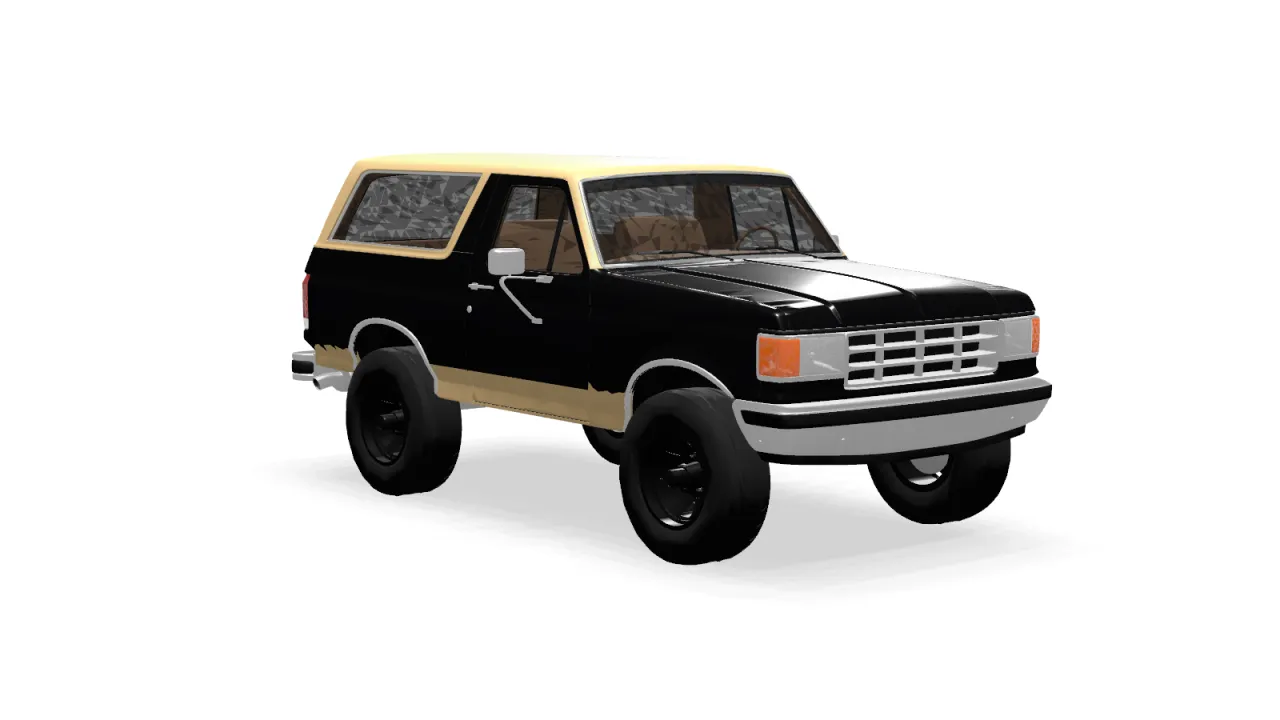
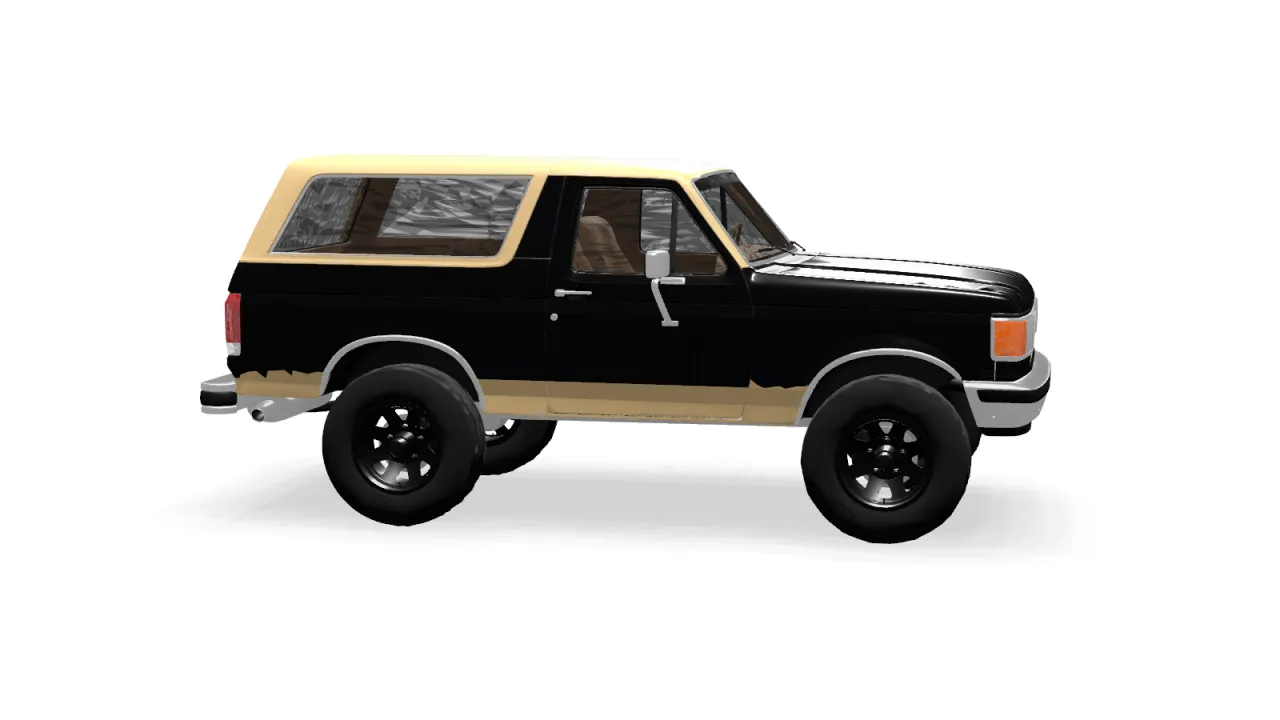
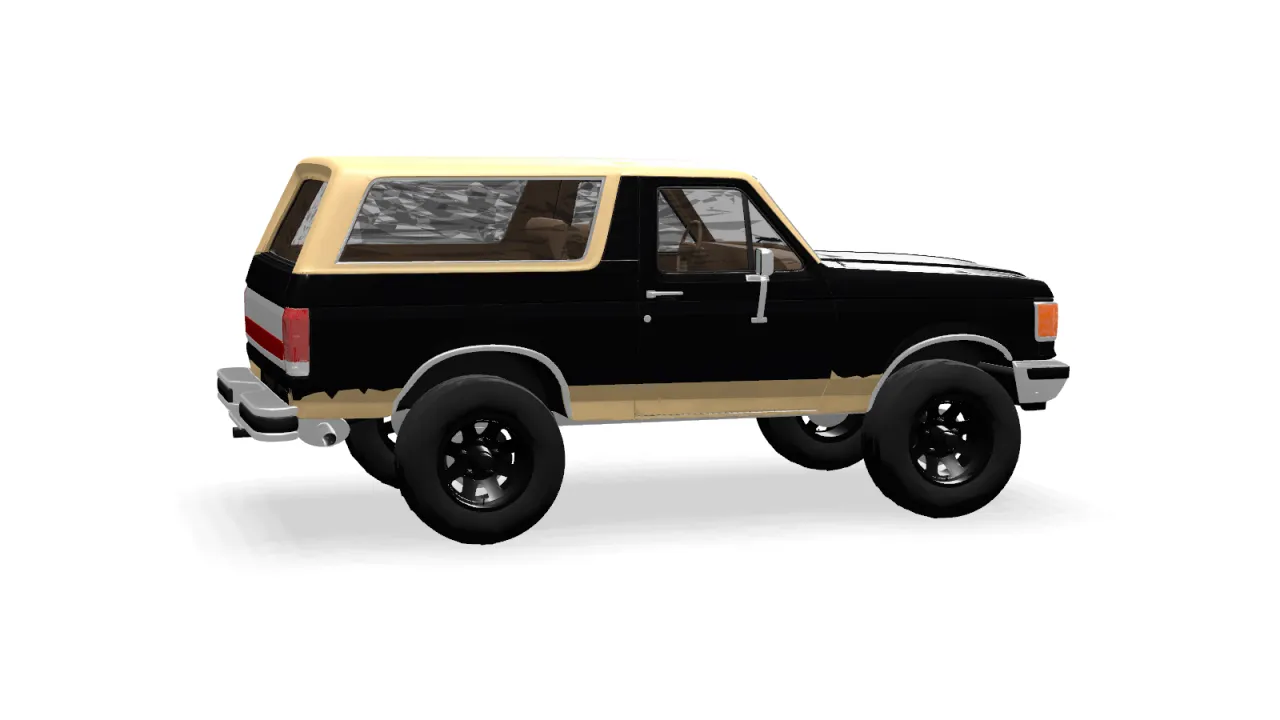
A twin you can turn in your hand.
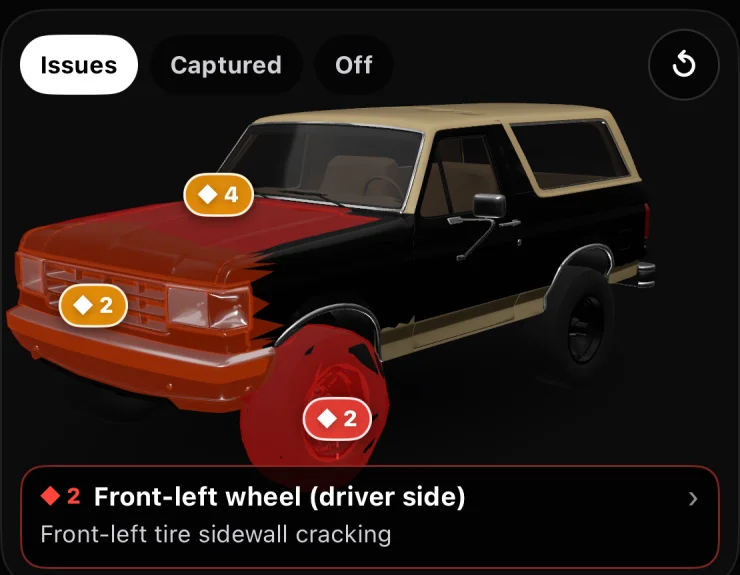
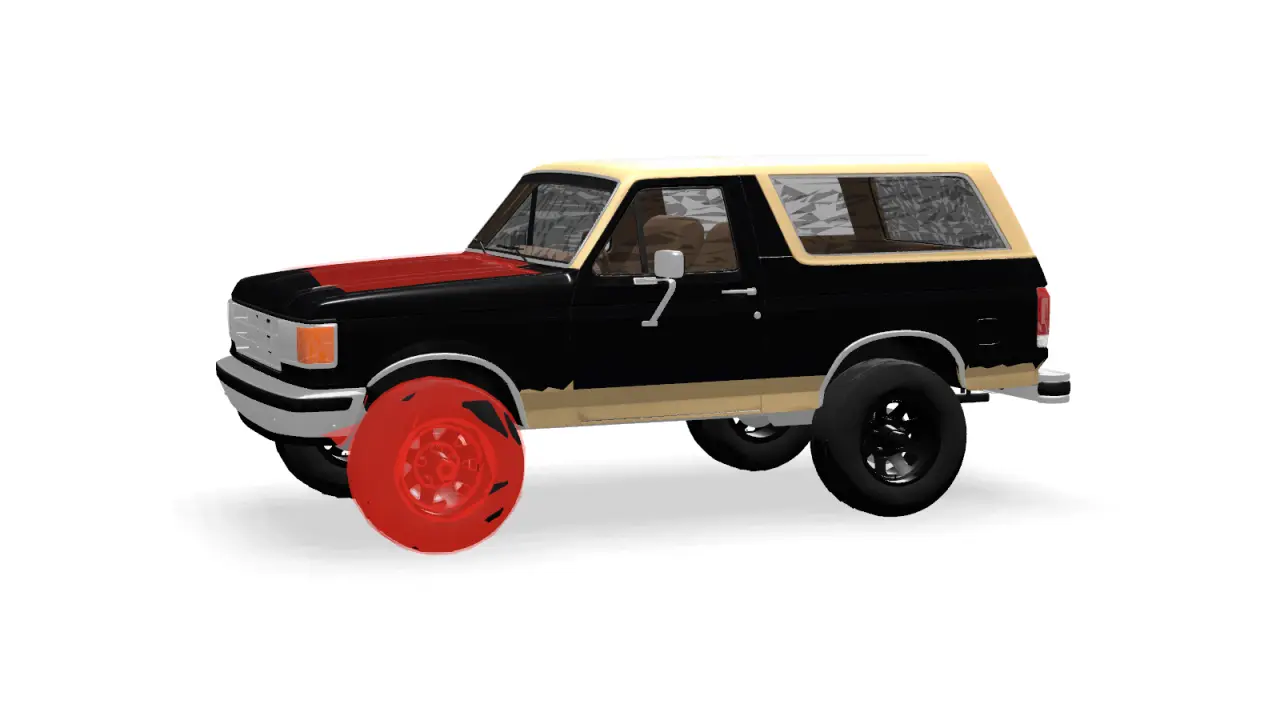
Home is your vehicle in 3D. Drag to orbit, pinch to zoom, and tap any of 11 regions — a wheel, the cabin, the engine bay — to see what’s been captured there and what’s wrong with it.
Problems glow where they live.
The Issues layer tints each region from amber to red by severity, with a count pinned to every side that faces you. Switch to Captured to see what the baseline still hasn’t covered.
One line on what matters.
Tap a region and the focus bar names its worst issue, with a one-line tip on what it probably means. Open it for its intake steps, its components, and the next shot to take.
MachineOS keeps what you captured apart from what it read, and both apart from what you’ve confirmed. Each layer points back to the one beneath it.
Evidence
Observations
The twin
Memory
Evidence — What you captured.
Evidence
What you captured.
Photos, video with sound, measurements and optional LiDAR scans — taken step by step through the 60-step baseline, or whenever something comes up. They’re stored on your iPhone, in a folder you can open in the Files app.
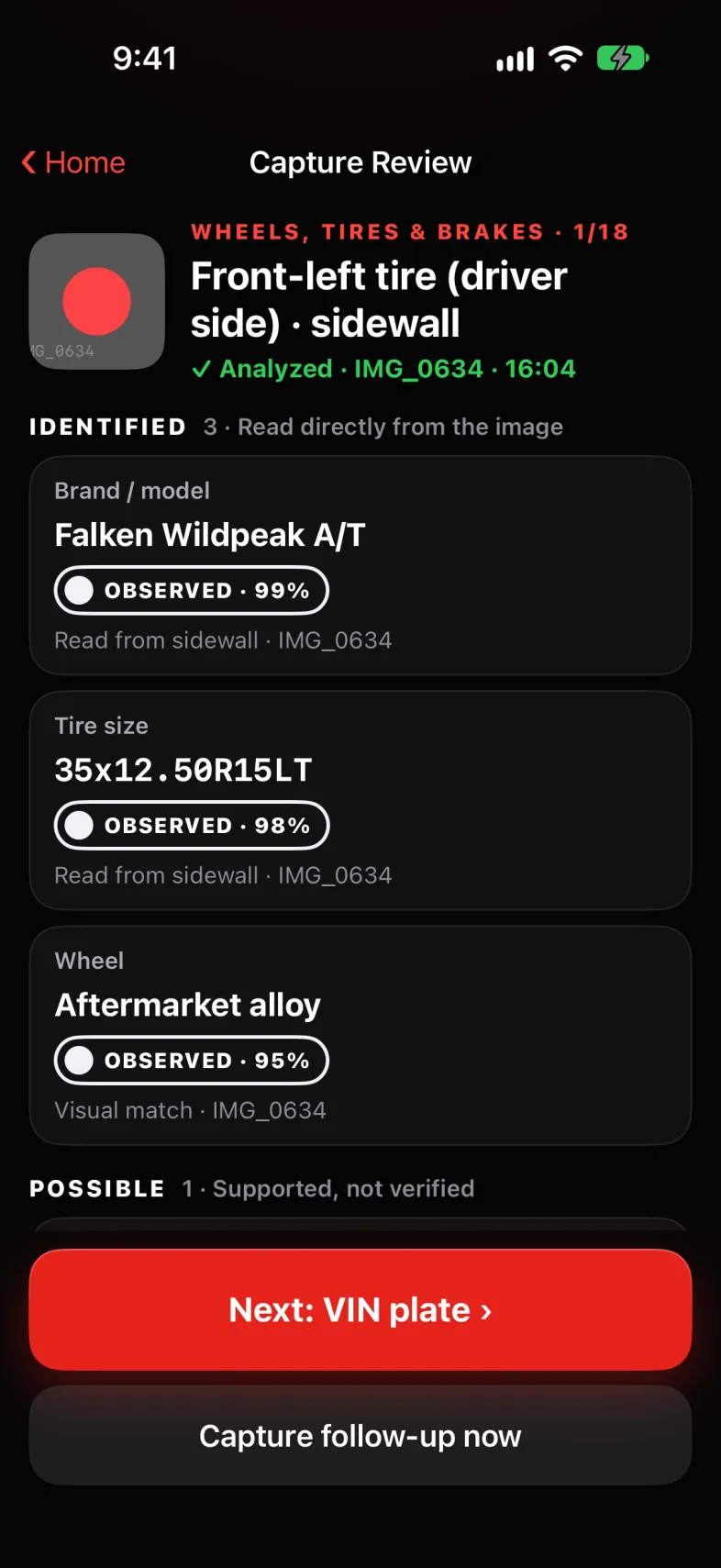
Claude reads each capture and returns what it can see, each marked by how it’s known — observed, inferred or unknown — with a confidence and a link back to the image. Unknowns come with the exact shot that would settle them.
OBSERVED · 99%~ INFERRED · 64%? UNKNOWN
Observed · inferred · unknown
Linked to the capture
New parts wait for you
The twin
What you’ve confirmed.
Confirmed facts land on the components they belong to, grouped by system and mapped to 11 regions on the 3D model, with issues, measurements and a timeline attached to each.
Wheels & Tires › Front Left Tire
✓ VERIFIED · YOU◆◆◆ Sidewall cracking
Components by system
Issues ranked by severity
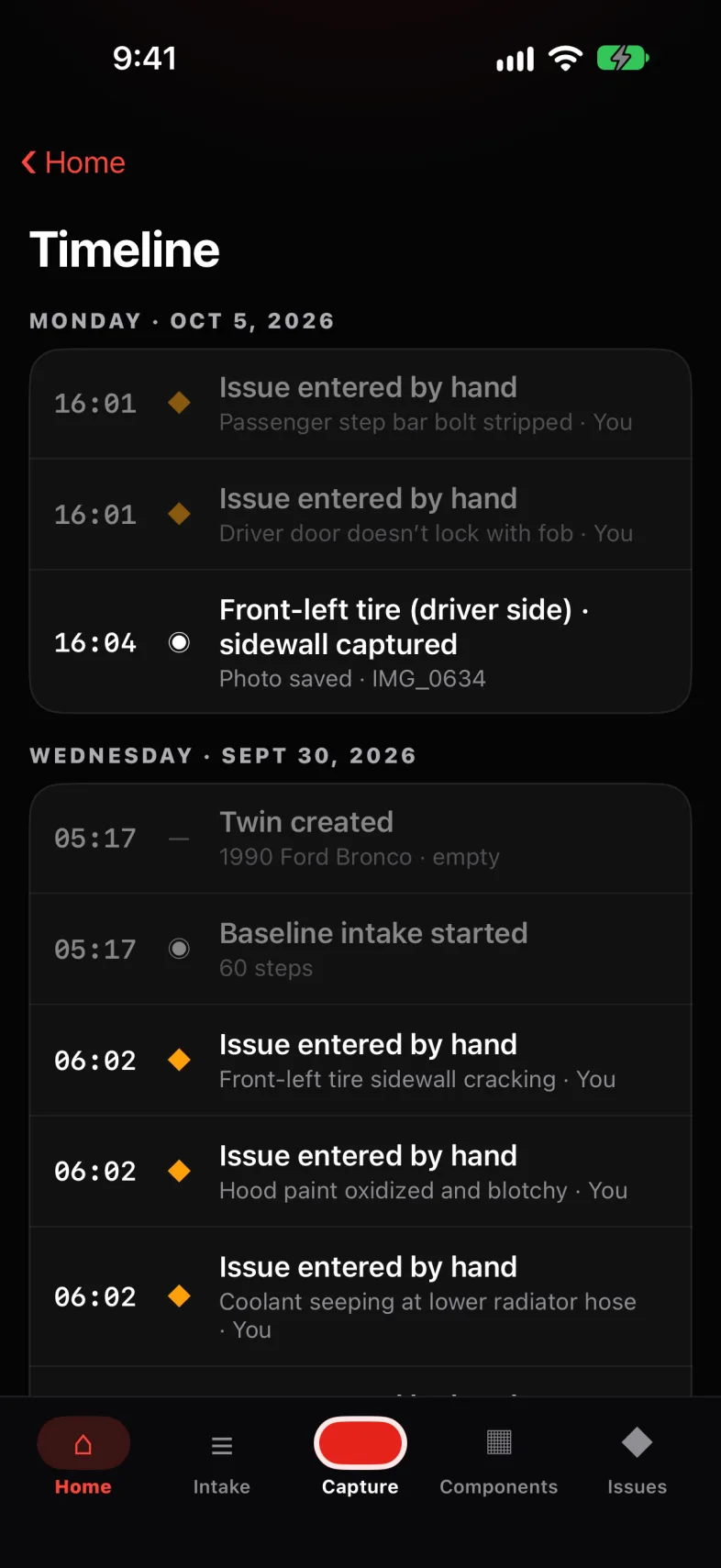
A timeline to the minute
Memory
What it has learned.
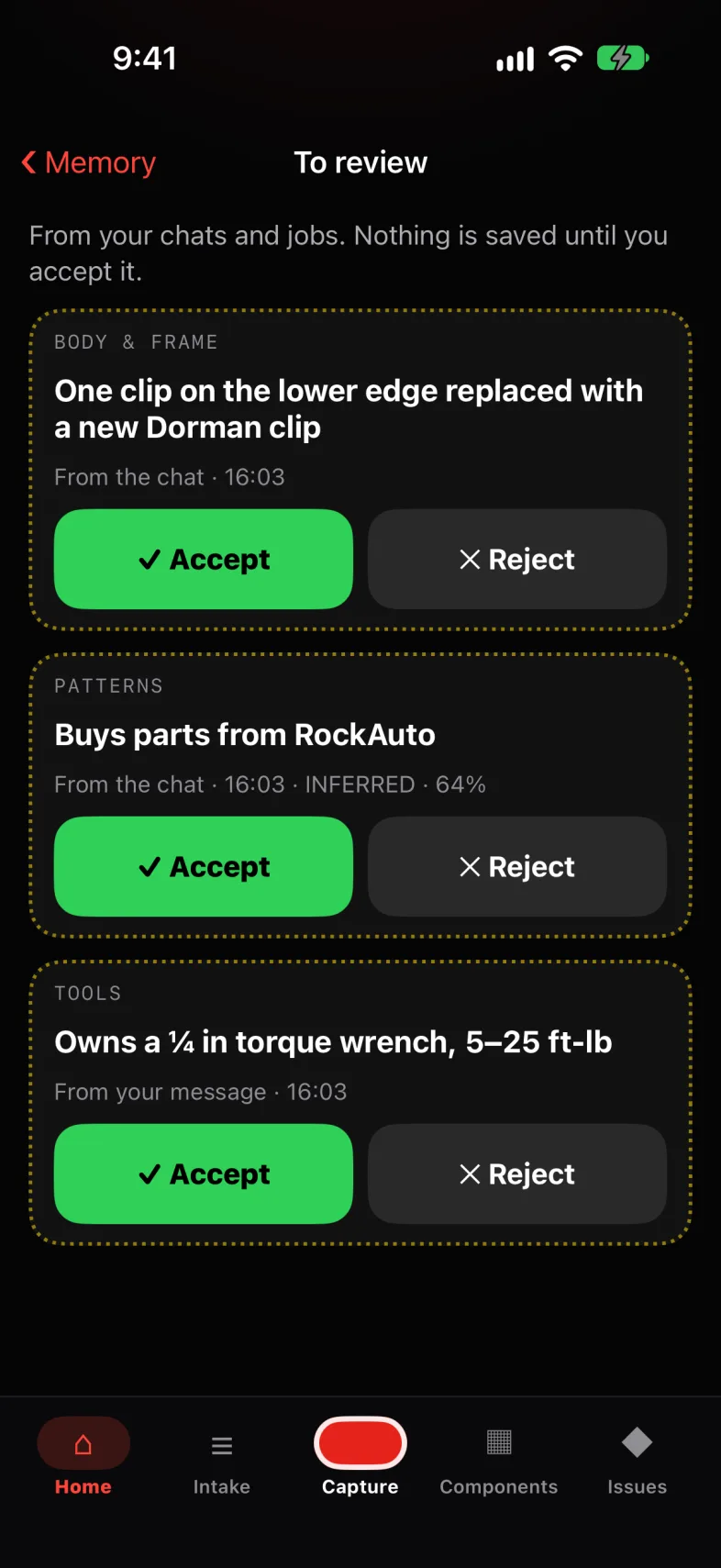
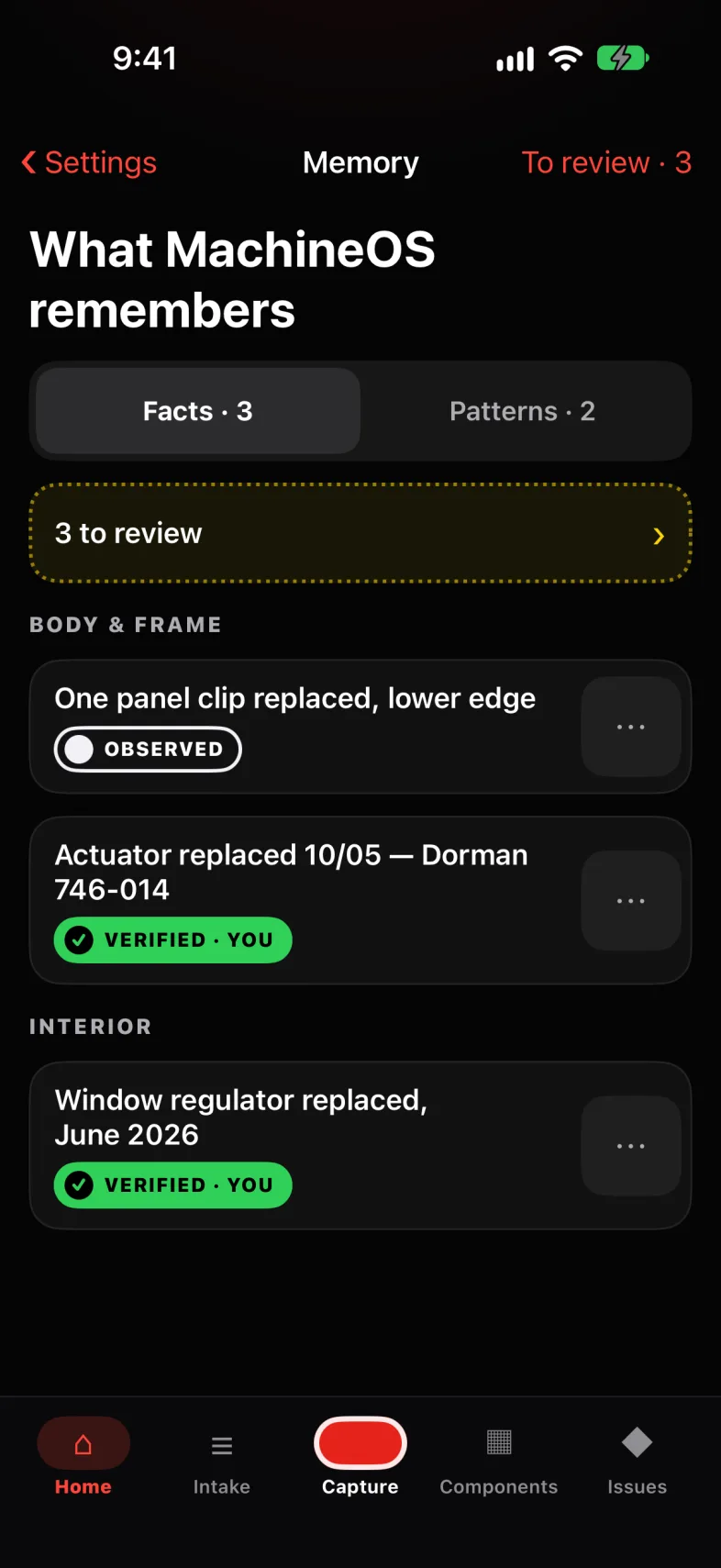
After chats and finished jobs, MachineOS proposes what it learned — a part replaced, the tools you own, where you buy parts. Nothing is kept until you accept it, and what you accept goes into a hash-chained log that can be exported for Polis.
BODY & FRAME · from the chat
Actuator replaced — Dorman 746-014
✓ Accept✕ Reject
Proposed, then accepted
Hash-chained log
Exports for Polis
In your hand
From the first photo to the finished job.
Capture
Sixty steps, each with a place to stand.
The baseline walks you around the truck in 60 guided captures, from the VIN plate to the frame rails. Every step says where to stand and what to fill the frame with, and marks you on a top-down map of the truck. Can’t reach one? Skip it with a reason and it waits in Requested Captures.
Photo · video with sound · measurements · optional LiDAR
9:41
✕EXTERIOR · 2/13
Angle 2 · Front corner, passenger side
Stand 3 m out from the front corner on the passenger side (the truck’s right). Facing the grille, it’s the corner on your LEFT. Whole truck in frame, bumper to bumper, phone at door-handle height.
Each capture is analyzed by Claude, and what comes back is sorted by how it was known: identified from the image, possible but unverified, or unknown — with the exact shot that would settle it. New parts stay out of your twin until you confirm them.
Identified · Possible · Unknown
Fix
Problems, ranked and sourced.
Issues are sorted by severity and keep their evidence: why each was flagged, how to verify it, and whether the AI or you raised it. Report a new one on video — show it, say what’s wrong, and the form fills itself in from what you said.
Swipe right to resolve · left to dismiss
9:41
Issues
Sorted by severity. Swipe right to resolve, left to delete.
◆◆◆ HIGH · 2
Front-left tire sidewall cracking
OBSERVED · 92%Unverified✦ AI
Wheels & Tires › Front Left Tire
Rear brake hose cracking at axle T-fitting
~ INFERRED · 66%Unverified✦ AI
Brakes › Rear hoses
◆◆◇ MEDIUM · 3
Possible fluid leak near transfer case
~ INFERRED · 62%Unverified✦ AI
Drivetrain › Transfer case
Valve cover gasket seep, passenger side
OBSERVED · 70%Unverified✦ AI
Powertrain › Valve covers
Driver door doesn’t lock with fob
✓ VERIFIED · YOU◉ YOU
Body › Driver door
◆◇◇ LOW · 1
Driver seat bolster torn
OBSERVED · 93%Unverified✦ AI
Interior › Driver seat
+ Issue
A mechanic who has read the file.
Every issue has its own Mechanic. It knows the truck’s recorded facts, the issue, and the tools you own. It leads with the likely cause, tells you what to check first, flags what’s dangerous, and asks the questions that narrow it down. Try answering it.
Streams on your iPhone · typical specs, labelled verify
9:41
‹ IssueMechanic
MECHANIC
Driver door doesn’t lock with fob
Knows your truck’s recorded facts, this issue and your tool inventory.
Driver door won’t lock with the fob. Passenger side locks fine.
2 QUESTIONS · 1 CAPTURE0 / 3
When you press lock, does the driver door buzz?
A buzz with no movement means the motor runs but its gear is stripped.
PICK ONE
What else fails on that door?
PICK ANY
VIDEO Video the lock while pressing the fob, phone close to the door.
Send answers
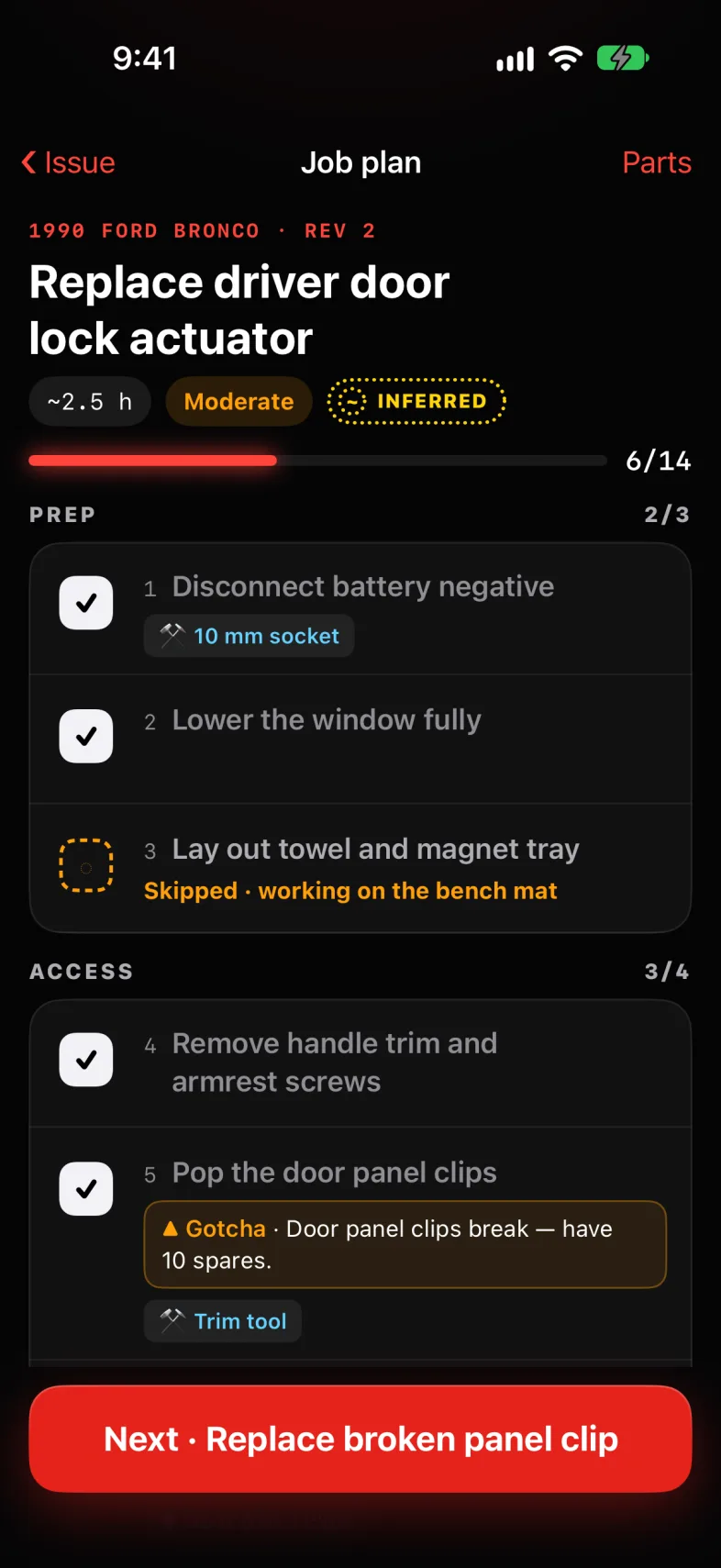
JOB PLAN · REV 1Replace driver door lock actuator0/14 · ~2.5 h · Moderate
◎Ask, describe, or tap MIC MIC↑
The whole job, step by step.
When the fix is clear, the Mechanic writes the job: prep, access, repair, reassembly, test, cleanup — with gotchas, typical torque, and when to stop and get help. It keeps the plan current as you talk. A clip breaks; a step appears.
Plans update from the conversation
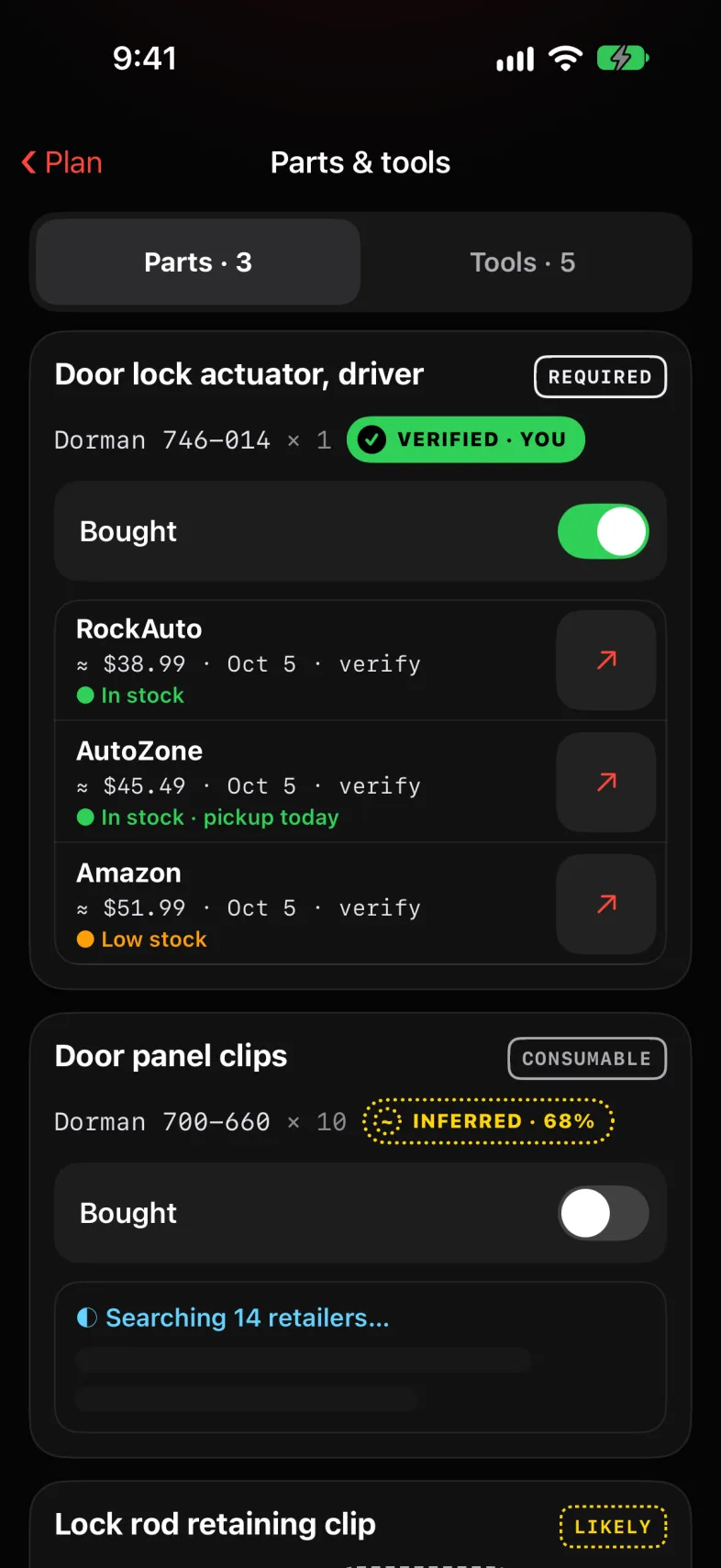
Parts, with links that exist.
Parts and tools are checked against what you already own, and where you last saw them. For the rest, Claude searches fourteen retailers. Only links that came back from the search are kept, and every price says verify.
RockAuto · AutoZone · Amazon · NAPA · and ten more
Keep
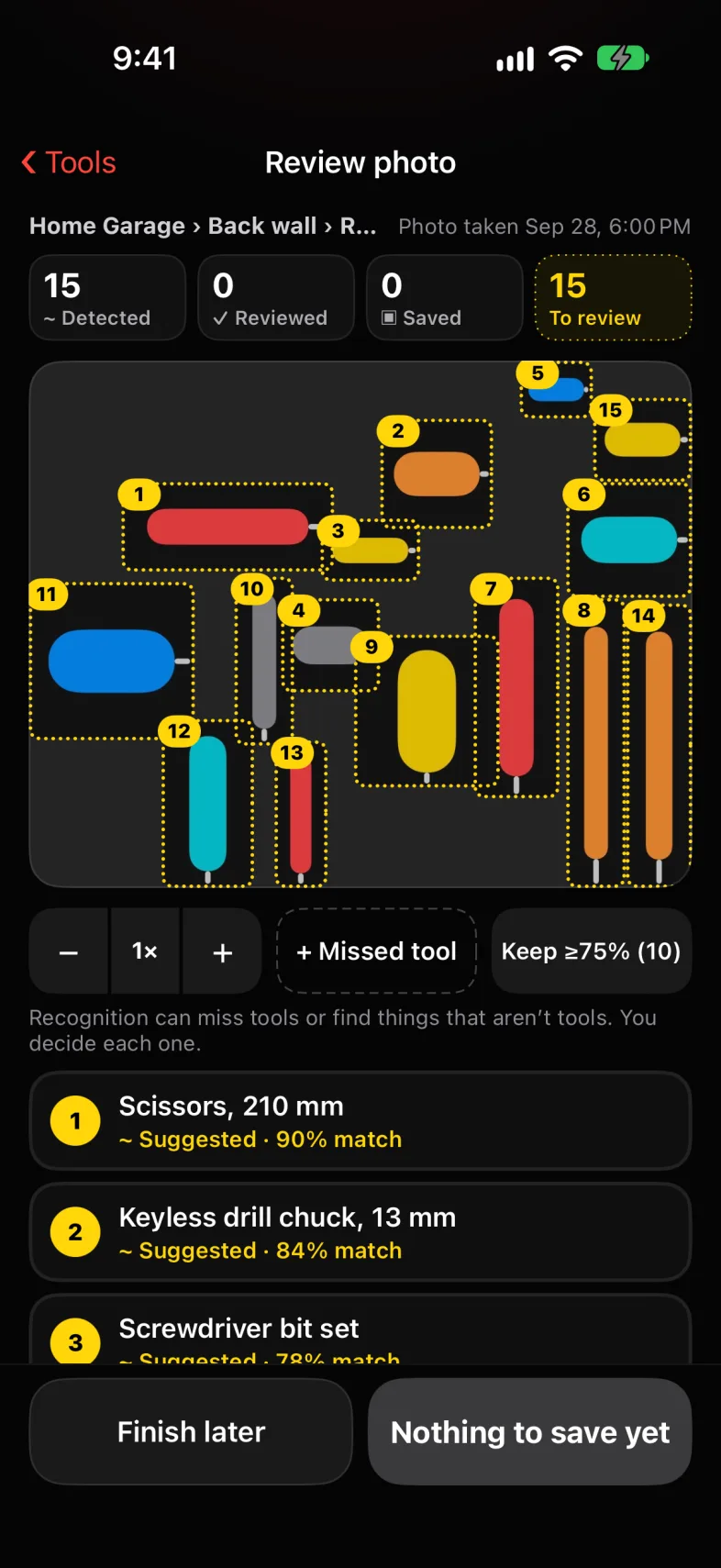
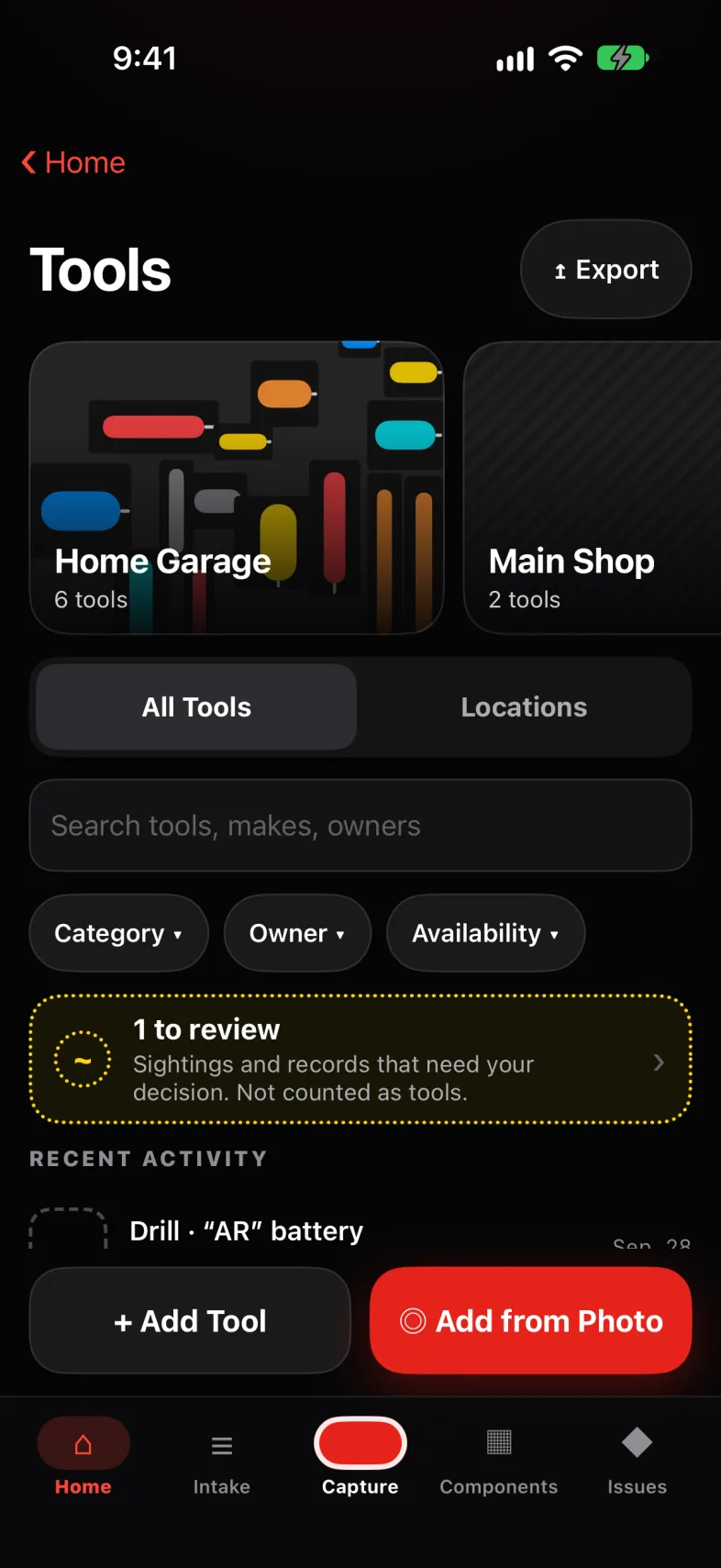
Photograph a drawer. Get an inventory.
Point the camera at a drawer and MachineOS boxes every tool it sees. Keep each one, mark what isn’t a tool, add what it missed. One inventory serves every vehicle, organized down to the wall, the cabinet and the drawer.
Recognized against the tools you already have
The paperwork, read and remembered.
Scan registration, insurance and receipts. Text is recognized on the iPhone first, and title, registration and insurance stay on the device until you tap Read it. Fuel receipts become rolling MPG; expiry dates become reminders.
Names and addresses are never stored
9:41
‹ Home
Documents
+
EXPIRING SOONRegistration22 days · Oct 28
DUE SOONParking ticket$85 · Oct 19
MPG · ROLLING14.2last 2 fills
SPEND · 2026$549fuel, parts, fees
TITLE · 1
Certificate of titleHeld on this iPhone
‖ Held›
REGISTRATION · 1
2025–26 registrationExpires Oct 28
22 days›
INSURANCE · 1
Auto insurance policyRenews Mar 2
›
MAINTENANCE · 2
Oil changeAug 14 · $62.00
›
Brake pads, frontMay 3 · $148.00
›
It remembers what you agree to.
After chats and finished jobs, MachineOS proposes what it learned — the actuator you replaced, that you buy from RockAuto, the torque wrench you own. Nothing is kept until you accept it, and what you accept goes into a hash-chained log.
Exportable in the Polis Memory format
9:41
✕EXTERIOR · 2/13
Angle 2 · Front corner, passenger side
Stand 3 m out from the front corner on the passenger side (the truck’s right). Facing the grille, it’s the corner on your LEFT. Whole truck in frame, bumper to bumper, phone at door-handle height.
Every fact in the twin says how it’s known, with a link back to the capture it came from. What the AI inferred never quietly turns into what you confirmed.
OBSERVED · 99%Read directly from the image.
~ INFERRED · 64%Supported by the evidence, not yet verified.
? UNKNOWNNeeds more evidence — and says which shot.
✓ VERIFIED · YOUConfirmed by you. It outranks everything else.
Wheel size~15x10~ INFERRED · 64%Estimated from tire width and lip depth · IMG_0388
The correction sheet from Capture Review. Tap to try it.
The philosophy
What we believe about your machine.
Evidence before assertion.
If it isn’t legible in the image, it isn’t stated as fact. It’s marked unknown, with the shot that would settle it.
“Never state a part number, brand, size, date or specification that is not legible or unambiguous in the images.”
Possibilities, not diagnoses.
An issue says what was seen, how serious it might be, and how to verify it — never that it’s certain.
“Issues are possibilities, never diagnoses.”
You have the last word.
Confirm, reject or correct anything, and it stays that way. The AI never re-asserts a value you overruled.
“Human corrections are authoritative.”
Numbers you can check.
Specs come as typical ranges marked verify. A torque value is a starting point, not an order.
“Torque and sizes only as “typical … , verify”.”
Talk like a mechanic.
Plain sentences, the way someone standing next to you in the garage would put it.
“…as an engineer standing beside the owner would say them.”
Plans grow; they don’t restart.
The job plan changes in small edits as you talk, so progress and notes are never lost to a rewrite.
“Small edits only; never rebuild it.”
Quoted lines are from the instructions MachineOS gives Claude.
In numbers
60guided captures in the baseline, VIN plate to frame rails
11tappable regions on the Bronco’s 3D twin
14retailers searched for each part, links kept only if real
0accounts, and no MachineOS server
And the rest of the record.
Every tool, every placeGarages, shops and drawers, with who owns each tool and where it was last seen.
A history that growsEvery capture, issue and fix lands on the timeline, to the minute.
What it remembersFacts and habits you’ve accepted, by system, each marked with how it’s known.
Your machine. Your record.
No account, no server.
There is no MachineOS cloud. AI features use your own Anthropic API key, kept in the iOS Keychain, and requests go from your iPhone to Anthropic.
Kept on your iPhone.
The twin, every photo and video, Mechanic chats and the tool inventory are stored on the device — browsable in the Files app, exportable as JSON.
Held until you say.
VIN, door-jamb and registration captures, and title, registration and insurance documents, stay on the iPhone until you choose to send them.
Works in the garage.
No signal under the truck? Captures save offline and are analyzed when you’re back in range.
In development, for iPhone.
MachineOS is being built for iOS 17.4 and later. The 3D twin and the guided baseline are made for the Ford Bronco first; any vehicle gets issues, documents, tools, memory and the Mechanic. LiDAR scanning needs an iPhone with LiDAR.
Screens are from the app running in the iOS Simulator with sample data; some are redrawn to animate. Renders use the Bronco model that ships in the app.